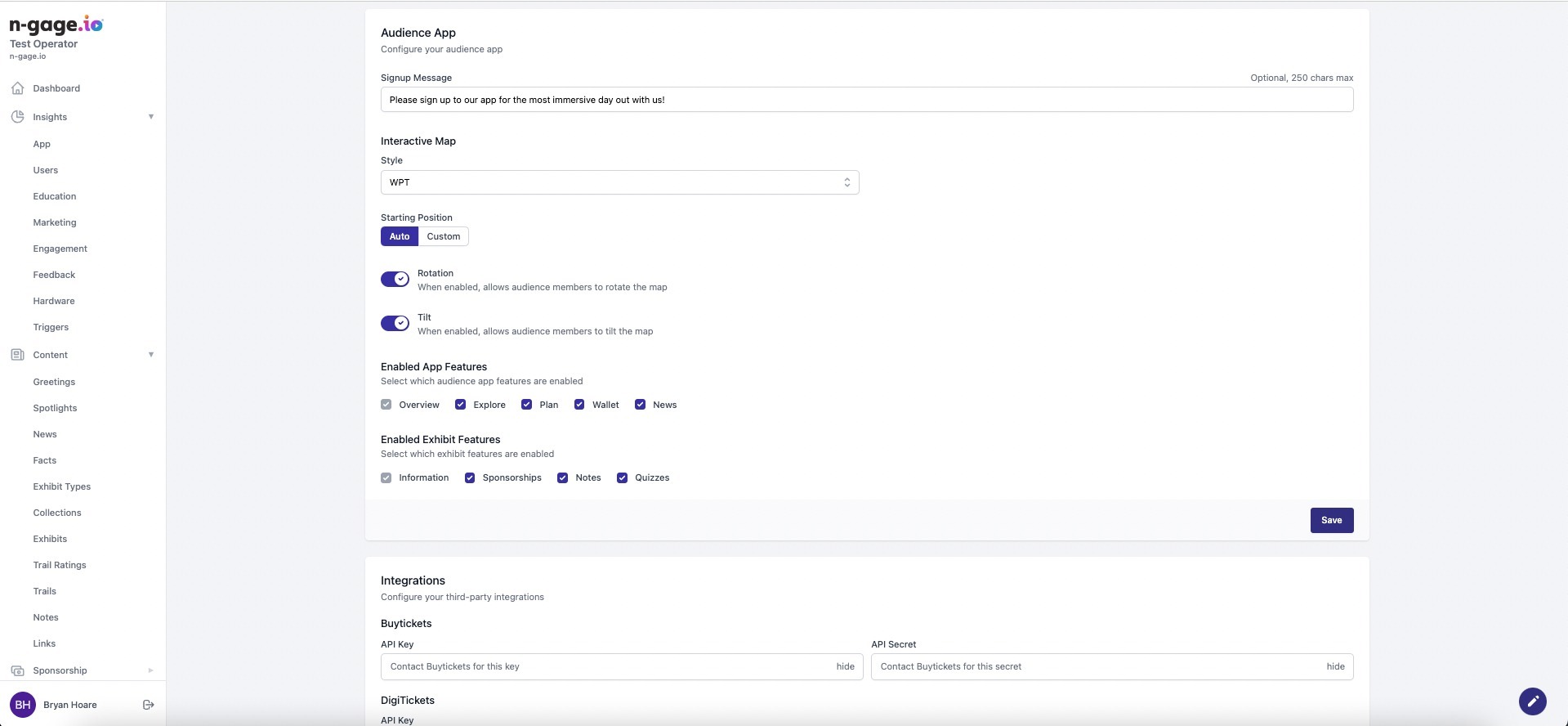
Configure map style, welcome messages, and toggle features like Sponsorships or Quizzes. All changes are reflected live in the app once saved.
- Changes to the Audience App features within Settings are reflected live in the app upon saving. Additional audience data can be collected at sign-up, such as date of birth or gender.
- The Map Style drop down list allows the operator to choose the style of map displayed in the mobile app overview screen. Add a signup message as a user welcome or notice as part of the app download and sign-up process.
- Select custom map features such as 3D tilt and full rotation.
- The Integrations section displays any third party software integrations.
- Operators are given with the ability to toggle exhibit features present within the audience app, the currently available features to toggle on/off are sponsorships, notes and quizzes.