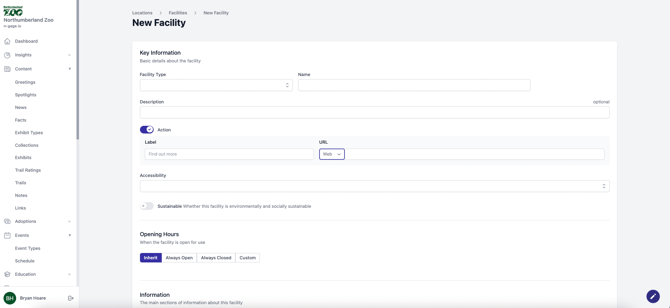
Add facilities under each type. Enter name, description, hours, and upload media. Pin each facility on the site map and choose whether to display it in the app.
- To create a facility, choose a predetermined facility type and add
a facility name. Add an optional description and use the action toggle to add text and a URL, phone or email link for more information when viewing a facility in-app. Select specific accessibility criteria for the facility. - Add site or custom opening hours and further information sections about the facility. Upload a media file(s) for the facility to be viewed in-app.
- Select the zone location for your facility and pin it in position on the map, using the status toggle to display the facility on the interactive map.
- A facilities position can be turned on or off in the audience map overview together with an information pin displaying zone information.