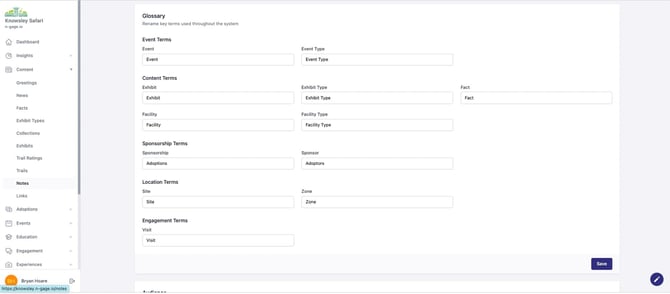
Customise the terminology used across the platform and app to match your attraction type. For example, replace 'Exhibit' with 'Gallery' or 'Enclosure'. Changes apply instantly throughout.
- The Glossary determines the terminology displayed for key features and sections in both the Operator Platform and Audience App. This can be customised to suit each operator i.e. zoo, museum, aquarium etc.
- Glossary terms can be edited at any time and are automatically updated across both the operator platform and audience
app upon saving.
This feature helps to customise the app for a particular use case.