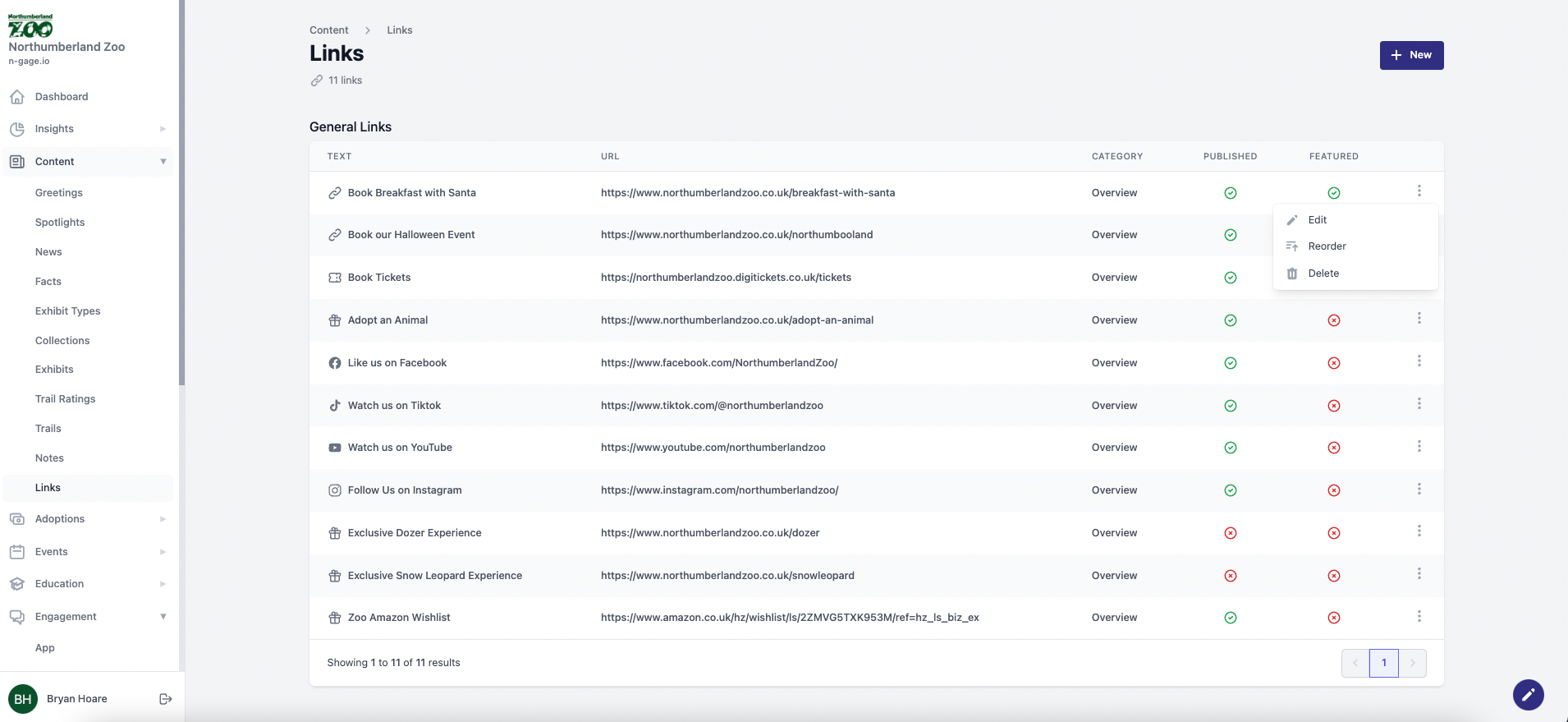
Add buttons on the app overview that link to external websites. Choose an icon and text label. Links can be featured for higher visibility and ordered across sites.
- Links can be added to the Overview page of the app and take the user to an external URL as inputted by the Operator. Links currently appear on the Overview page of the app and can be used to highlight content on any external website.
- To create a link, add some text for the link button and add an external URL. Choose an icon from the drop down menu that best represents the purpose of the link being added. Users have the option to decide if links are published or not which will either show or hide the link in the audience app.
- Links can also be classed as ‘featured’ when published making them a higher priority when listed alongside unfeatured links. Links can also be ordered individually. Links can also be added across multiple sites as appropriate.