
Create targeted groups using filters like location, visits, tickets, memberships, and behaviours. Segments are key for personalised messages and offers.
- The audience segmentation module is a powerful tool to assist operators to build audience profiles based on a range of criteria, which can then be used to create personalised messages and notifications in-app or via email.
- Audience segments create the capability to deliver highly targeted and personalised communications based on audience behavioural tracking. To assist with on-site tracking, low cost Bluetooth beacons can be installed. Ask the team for further details.
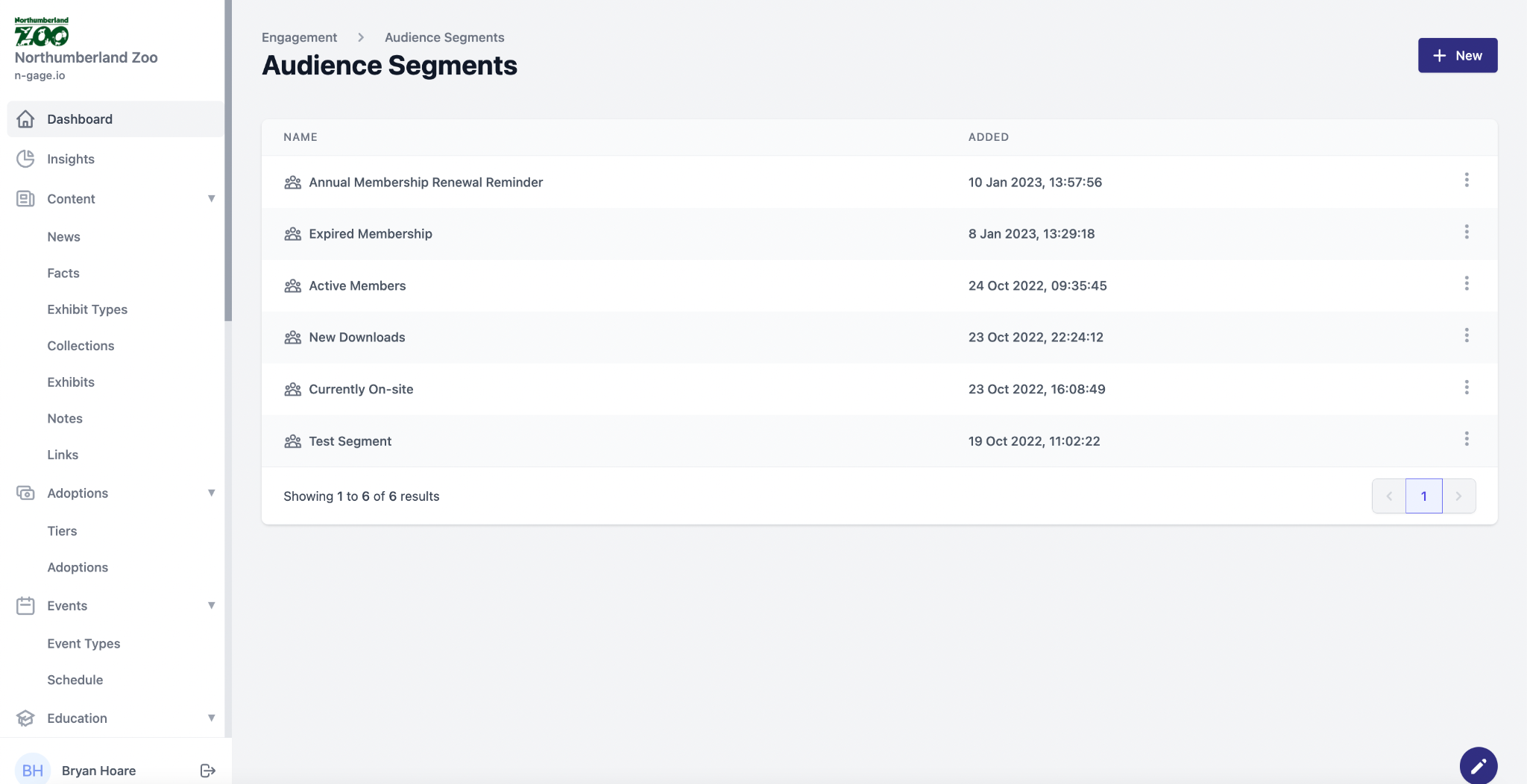
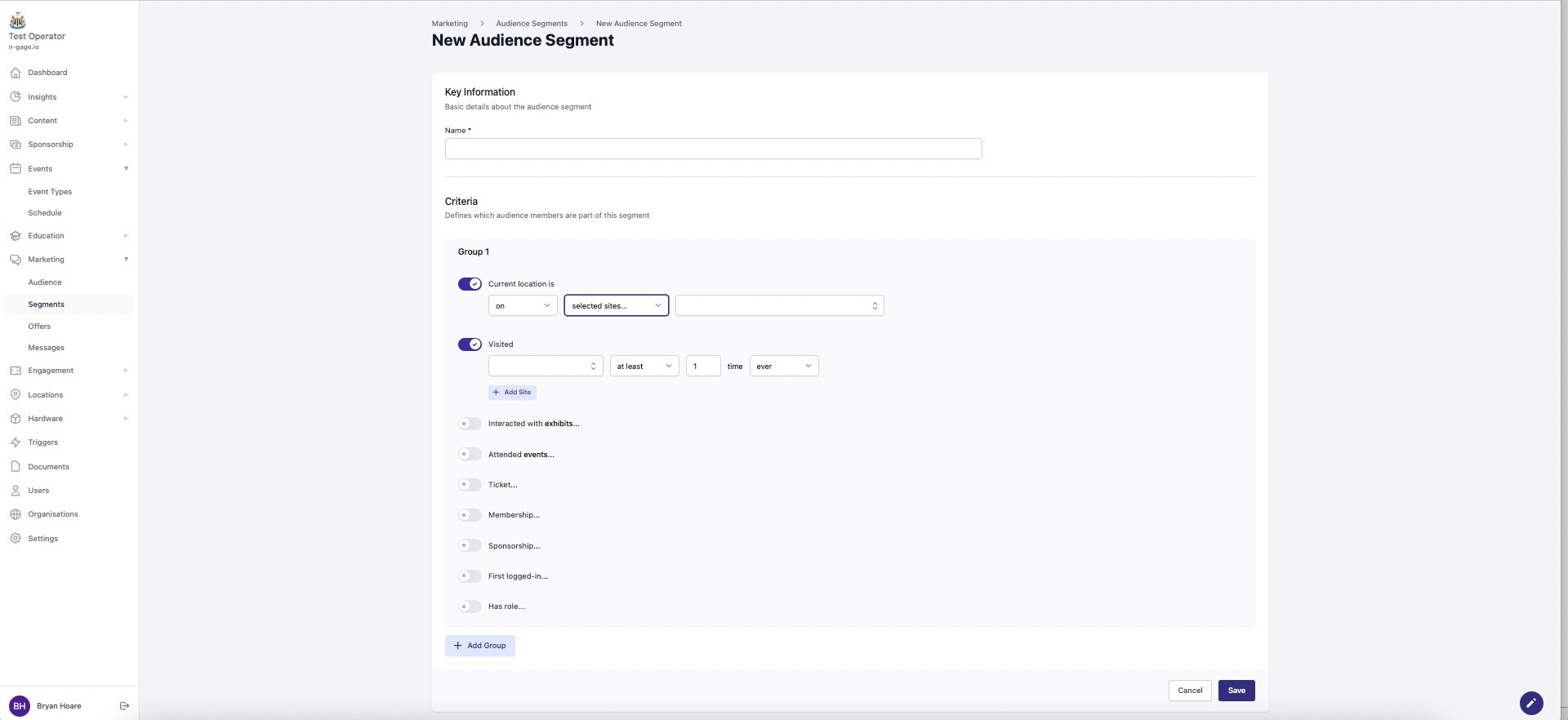
To build a new Audience Segment, create a name that best presents the segment and then work down the list of possible criteria, choosing relevant options as appropriate.
Current Location - on site
This filter will select all audience members who are currently detected within the pre-defined site boundary, as created on the interactive map during site set-up. You can also select multiple sites if you have more than one enabled.
Current Location - off site
This filter will select all audience members who are not detected within the pre-defined site boundary.
Visited
The visited filter can be used to segment audience members who have/have not visited the site within the set variables of the filter. This can be used to target audience members ranging from repeat visitors to those that are yet to visit the site at all.
Fewer than
The audience member has visited less than ‘x’ amount of times.
No more than
The audience member has visited no more than or exactly ‘x’ amount of times.
Exactly
The audience member has visited
exactly ‘x’ amount of times.
At least
The audience member has visited
at least ‘x’ amount of times.
More than
The audience member has visited more than ‘x’ amount of times.
Interacted with exhibits
This filter targets audience members who have interacted with a chosen exhibit or number of exhibits, subject to the tracking capability of the app.
The interaction criteria can be further filtered using other options such as ever, between, before or after and a date or date range as appropriate.
Attended
This filter targets audience members who have attended one or more events.
If two or more events are selected then the segment will only encompass audience members
who have attended both.
To select target audience members who have attended a combination of events, add a group for each of the applicable events. An example of this would be audience members who attended either an event on Tuesday or Wednesday.
Ticket
This filter targets audience members who hold or don't hold a ticket.
The ticket filter can be customised to fit the desired target audience by changing any of the four variables associated with it.
This includes whether the audience member holds or doesn’t hold the chosen ticket variable, as chosen from the drop down list, together with the ticket status and depending upon the status option chosen, a date or selected date range.
Membership
This membership filter targets audience members who hold or don't hold a membership.
The membership filter provides the same options as the ticket filter, being customised to fit the desired target audience by changing any of the four variables associated with it.
This includes whether the audience member holds or doesn’t hold the chosen membership variable, as chosen from the drop down list, together with the membership status and depending upon the status option chosen, a date or selected date range.
Sponsorship
This sponsorship filter targets audience members who hold or don't hold a sponsorship.
The sponsorship filter provides similar options as the ticket filter, being customised to fit the desired target audience by changing any of the four variables associated with it.
This includes whether the audience member holds or doesn’t hold the chosen sponsorship variable, as chosen from the drop down list, together with the sponsorship status and depending upon the status option chosen, a date or selected date range.
First logged in
This filter can be used to target audience members based on when they first logged into the mobile app.The filter includes a large variety of variables allowing for a more precise segment.
The segment is particularly useful to target new app users with notifications, messages and vouchers.
Add Group
The add group function allows users to add multiple groups of criteria into
a single segment.
This function provides operators with the same filters and variables available in the first group, allowing for even more precise targeting.
When the segment is finalised with more than one group, the segment will encompass all audience members who are targeted by either of the multiple groups.